Personal briefcase
The briefcase serves as a "basket" where you collect content to generate a PDF. The resulting PDF is your handout.
The idea of the briefcase is that you don't need all the content you've seen. In most cases, you just need a small amount of the important content that fits your needs.
Put content into briefcase
All cards with content have a top right navigation which shows up when you hover on them with your mouse.

If you click on a briefcase icon the cards content is put into a briefcase. Every room has a briefcase for your personal use only.
Once you clicked on this button a briefcase button appears on the upper right with a red “1”. The number counts the number of cards you put into this briefcase.
Check out the briefcase (generate PDF).
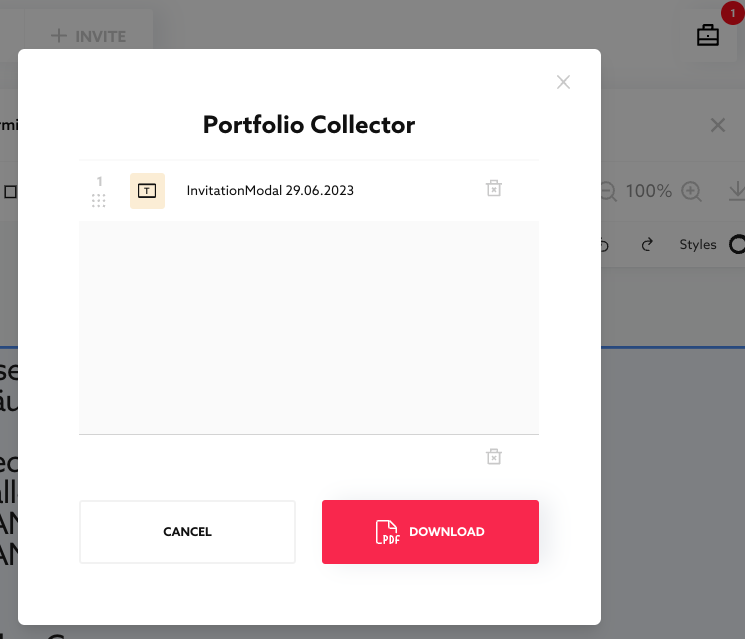
After click on the button a modal “Portfolio Collector” shows up. Here you can reorder and delete collected items. You can check them out as one pdf with the “Download” button.
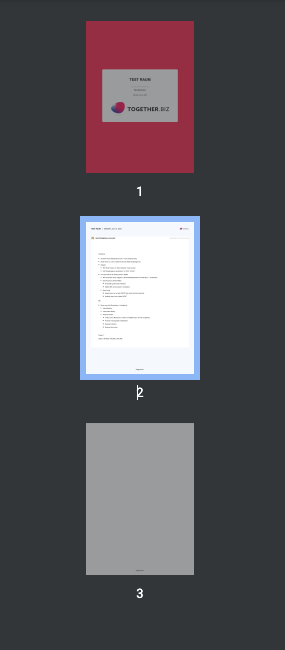
The pdf has a cover with room name, your name and date. All items are in one paginated pdf.
Five Rooms = five briefcases
Für jeden Raum haben Sie jeweils eine Sammelmappe, also fünf Räume fünf Sammelmappen. Der Inhalt wird gespeichert, auch wenn Sie nicht im Raum sind oder nicht eingeloggt. Allerdings sollten Sie mit dem PDF nicht endlos warten; unser Konzept ist, dass jeder Eigentümer seinen Inhalt löschen bzw. zurückziehen kann; er ist dann auch nicht mehr in der Sammelmappe.
Published Oct 2, 2026