Account and billing
Account
To create a new account, please follow the instructions in Account & Login.
You can find your account information at the top right of your avatar.

After clicking on the avatar in the upper right corner, you will see the account dialog:
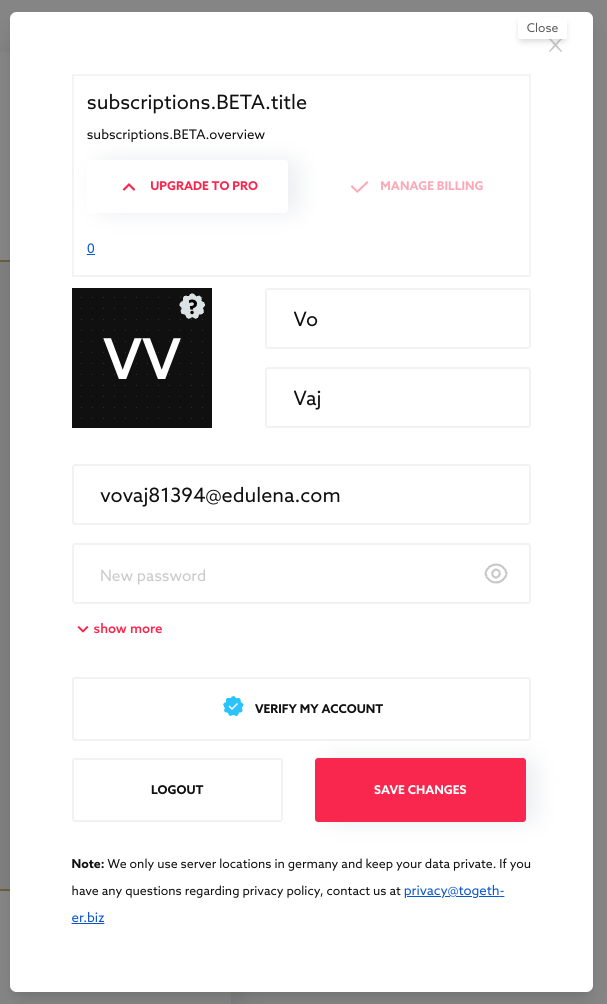
In the account dialog, you can see (described here from top to bottom):
- which plan you have: currently BETA and then PRO or FREE
- your first and last name: Together requires two letters for each.
Currently, only your first and last name are used for billing purposes! Other users will only see your screen name, which you can choose when entering a room.
- Your email address: optional for wallet users, useful for receiving emails with Textboard content.
- Your password: optional for wallet users only.
- "Show more": In this area, you can currently give or withdraw your permission for marketing contact.
- "VERIFY ACCOUNT", see ID Verification.
- LOGOUT: Together keeps you logged in for a while so you don't have to log in again. With the LOGOUT button, you can ensure that no one else takes control of your account from your browser.
- SAVE: This button saves inputs like names, surnames, and passwords.
Published Oct 2, 2026