Share with others
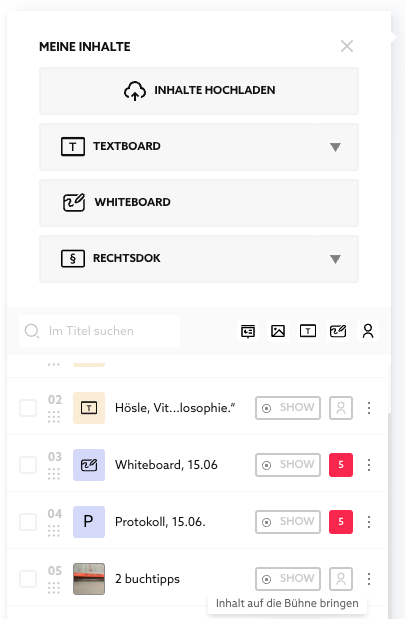
You can expand the so-called "Content Panel" in the upper right corner (Button with Folder Icon). There you will find all the contents available to you for this space: your own as well as those shared by others.
Share in rooms
With this button you share with all the people who have access to the room:

Afterwards, the button looks like this if five other people have access to the room:

This means:
- These people will see your content listed even when it's not on stage.
- They will see the content even when you are not in the room.
- They can bring the content on stage - whether you are in the room or not.
- They can also access your content from outside in their library and bring it to other rooms.
The content you have shared is therefore always available to other users everywhere. This applies until you revoke the sharing by clicking the button again.
At Together, the owner of content always has maximum possible control over their contents. If one withdraws sharing or deletes contents, they will also not be available to anyone else.
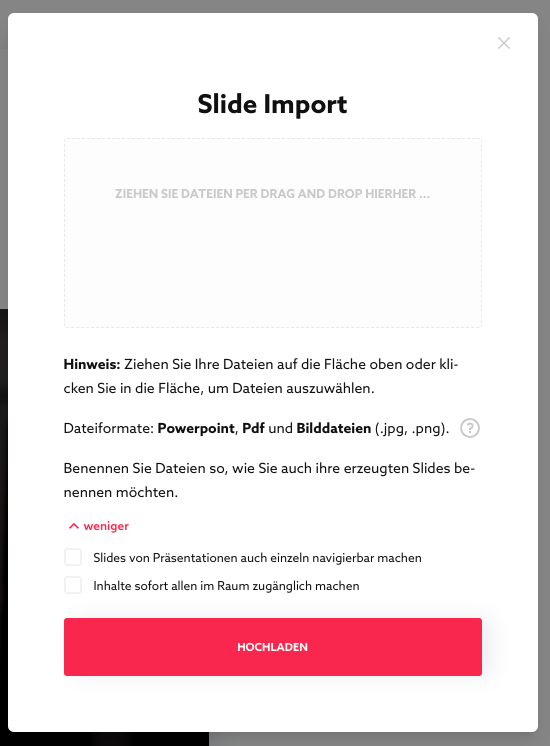
Share already at import
During the import, you can already decide to automatically share all imports with all room users.
Share in library
This function is on our roadmap.
Published Oct 2, 2026