Welcome to the Help Center! πŸ‘‹
Welcome to the Help Center! πŸ‘‹Start
Working with ContentAgendaAI in TextboardsDeclarations and ContractsDownload, Send, Collection BasketImport Slides and PresentationsMinutesScreensharingShare with othersTemplatesTextboardsVotings & DeclarationsWhiteboards
Working with Content

Textboards

In text boards, you can write alone or collaboratively (simultaneously).

We reluctantly admit that our text boards are similar to Google Docs, Etherpad, or MS Word in the cloud version of Office 365.

We have just made them particularly clear. And what is special about them is that you can… … send them immediately, … turn them into handouts in a collection folder, and … that AI can extract tasks, for example.

Collaboration in Textboards

A text board contains any characters β˜…βŒ•βžœβž€βžœβ†Ίβ†»β†³βŒ¦, including emojis (the selection is displayed after ":"). Textboards are deliberately kept minimalistic, but you can also be artistic β•”β•β•β•β•β•β•β•β•β•β•βœΏβ•β•β•β•β•β•β•β•β•β•β•—β”β”β”β”β”β‚β”β”β”β”β”β”“

β•šβ•β•β•β•β•β•β•β•β•β•β•β•β•β•β•β•β•β•β•β•β•β•β”—β”β”β”β”β‚β”β”β”β”β”β”›

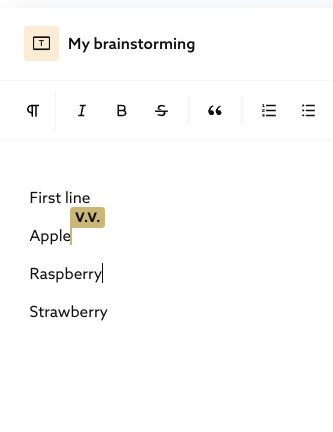
Everything you write can be seen live by other users in the room. These users see your cursor and name in your user color. This example shows two users writing in the same textboard: CK and V.V.
Title
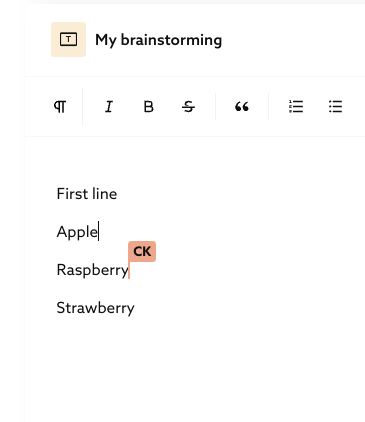
The header of a text board consists of an icon and a title. You can change the title, and we highly recommend that you do so. For example, you might use titles such as "Brainstorming," "Concept X," "Chris & Paula," or "Minutes." The title can be changed by the board owner and all moderators.

If you hover on other personΒ΄s card title you see the name of the owner.

Formatting

With the left buttons you can
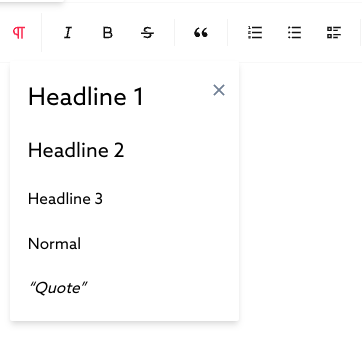
  1. Choose paragraph styles,
  2. Character styles (italic, bold, striketru, quote) and
  3. List formats as well as
  4. Remove styles

Functions

  1. Top right button area:

    1. The dotted box leads to full screen view - only for the viewer, not for other participants.
    2. The buttons for the collection folder and the live pointer are located on the right side, too.
Templates

Previous Page

Votings & Declarations

Next Page

On this page

Collaboration in TextboardsTitleFormattingFunctionsMarkdown (paragraph styles, lists, strikethru, highlight)
  • Second row right, you can:

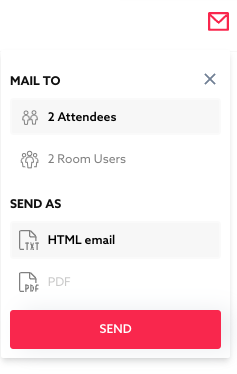
    1. Send the content by e-mail (to all live participants in the room or to all users who have access to the room and have been there before) and decide the format (text as html e-mail body or as an pdf attachment to a mail).

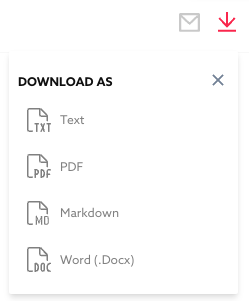
    b. Export the content in four formats. For markdown, see the next entry.

  • Markdown (paragraph styles, lists, strikethru, highlight)

    Markdown shortcuts make it easy to format the text while typing. If you do not know Markdown, more here.

    Headings

    To test that, start a new line and type # followed by a space to get a heading. Try #, ##, ###, ####, #####, ###### for different levels. Examples:

    • #<space>HeadlineLevel1#
    • ##<space>HeadlineLevel2##
    • ###<space>HeadlineLevel3###

    Lists

    Try *, - or + for bullet lists

    Blockquotes

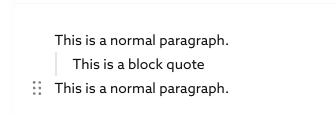
    > for blockquotes,

    Text styles

    • ~~tildes~~ to strike text, or
    • ==equal signs== to highlight text.
    • \foobar`` to highlight code.

    Code Block

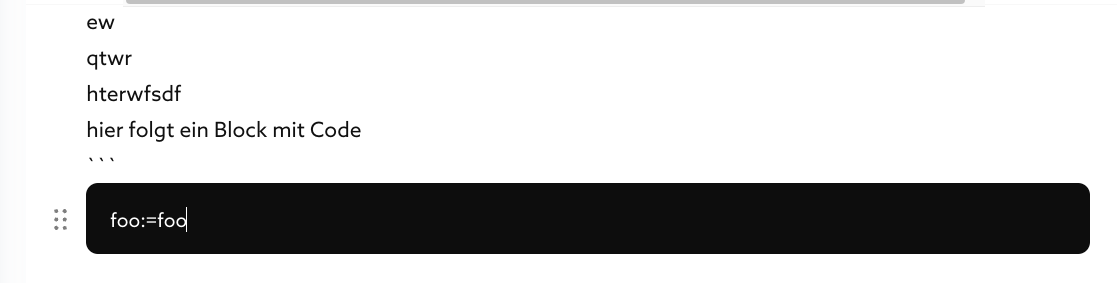
    If you want a block with black backgroud and monospace font (mostly used for programming code) type **` **three times:

    ```

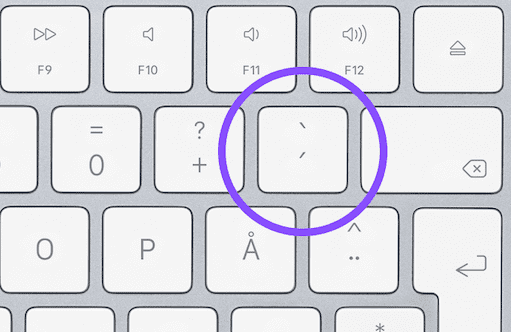
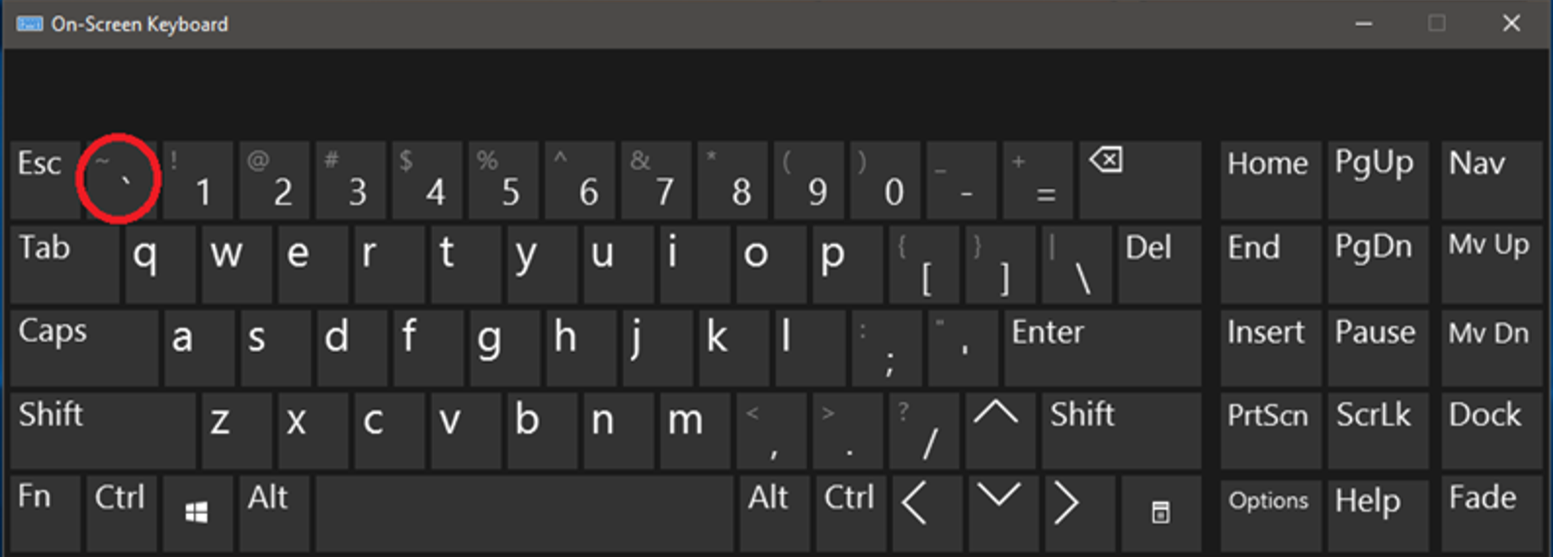
    The character is known as grave accent (https://en.wikipedia.org/wiki/Grave_accent) or backtick/backquote (https://en.wikipedia.org/wiki/Backtick). Here is an example on a swedish Mac keyboard ;-)

    Grave accent on Mac keyboard

    This an example on a Windows on screen keyboard

    Grave accent on typical Windows screen keyboard

    Or you press Β Alt,Β  AltΒ + 138 =Β ```

    Published Oct 2, 2026